



How to Color Ducts, Pipes and Conduit by System
2 views · by Kevin J Bruno · updated 4 minutes ago
Steps
- Open the view to color.
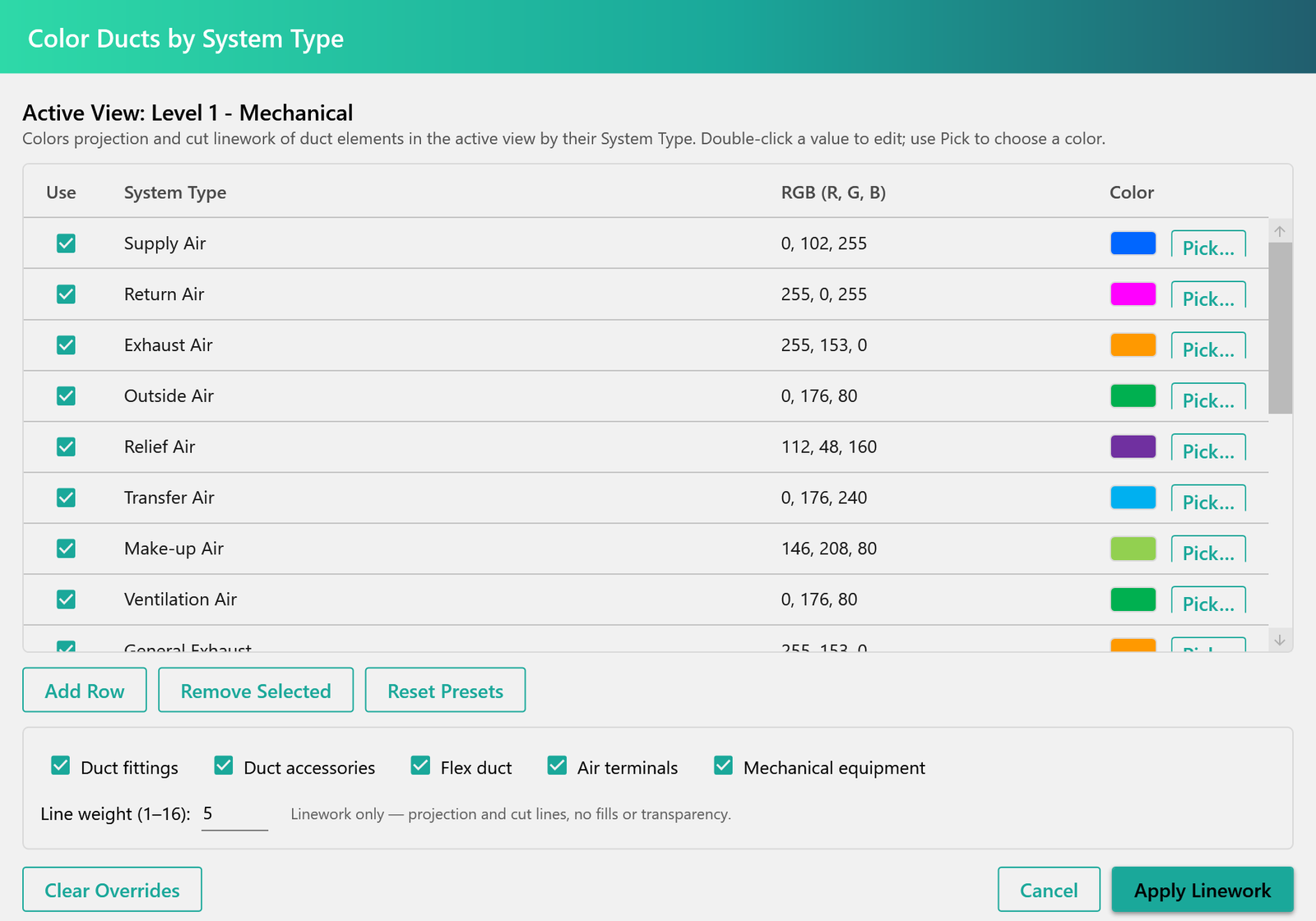
- On your discipline tab, click Duct Color (or Pipe, Conduit, Room, Framing or Site Color).
- Pick a color for each system type.
- Apply to update the view.
More help
- BIMeta for Revit: Overview
- Installing and Signing In to BIMeta for Revit
- How to Find and Place a Family from the AEC Library
- How to Renumber Doors Automatically in Revit
- How to Set Door Offsets in Revit
- How to Override View Depth in Revit
- How to Place Detail Components with BIMeta
- BIMeta for Revit Settings
- Troubleshooting BIMeta for Revit
Was this article helpful?
Share