



How to Upgrade a Revit Family Library
2 views · by Kevin J Bruno · updated 4 minutes ago
Steps
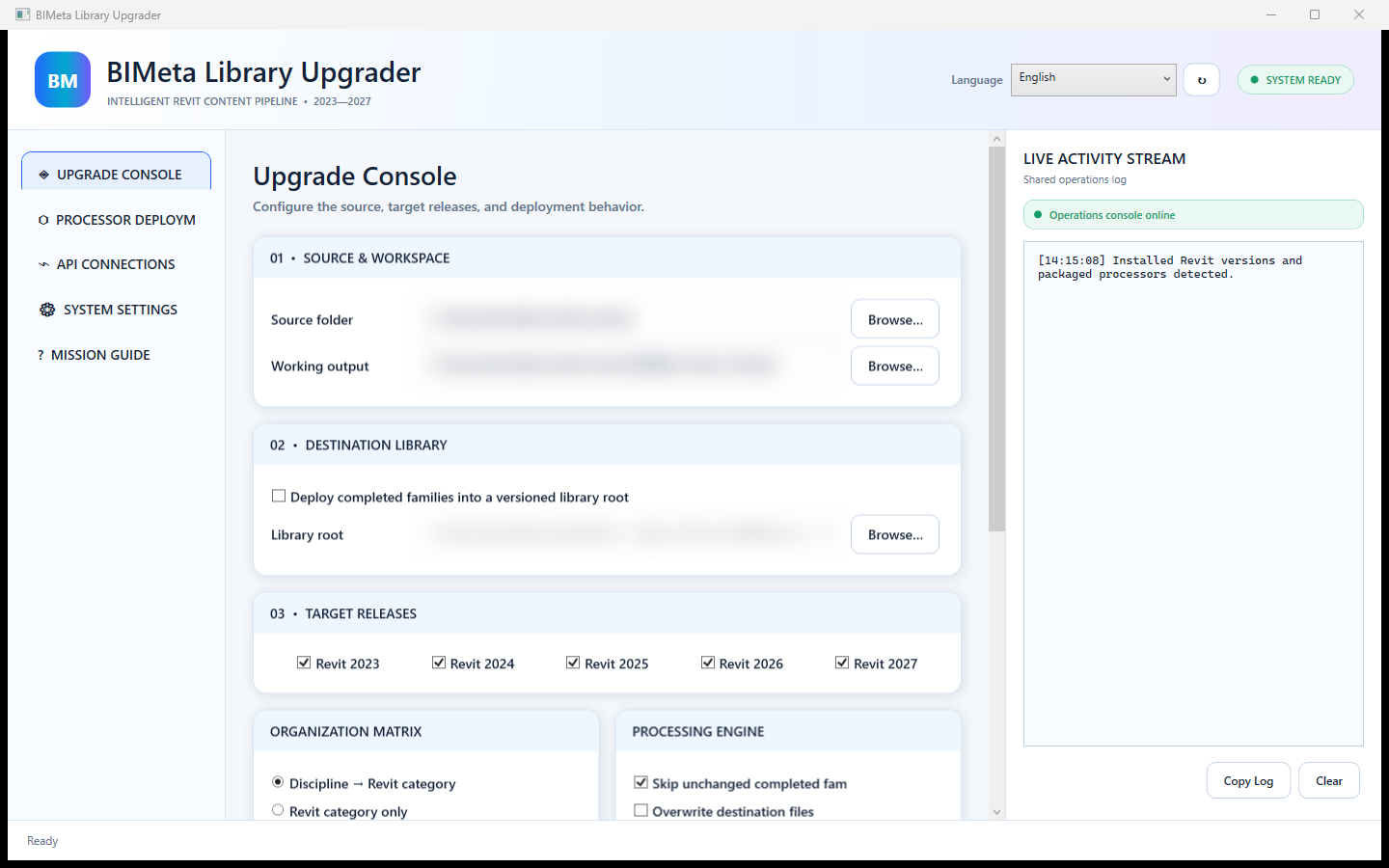
- Under 01 · Source & Workspace, choose the Source folder and the Working output folder.
- Under 02 · Destination Library, optionally tick Deploy completed families into a versioned library root and set the Library root and locale.
- Under 03 · Target Releases, tick the Revit versions you want.
- Click Start Upgrade and follow progress in the Live Activity Stream.
More help
Was this article helpful?
Share