



Project consultants: fees, insurance and deliverables
17 views · by Kevin J Bruno · updated 4 days ago
The Consultants tab shows the outside consultants working on the project (structural, MEP, civil, landscape and so on): their scope, their fee on this job against what they've invoiced, whether their insurance is current, and the deliverables they owe, with due dates and what's been received. It's the place to chase late drawings and check a consultant isn't billing past their fee.
Where to find it
- Open a project and choose Money → Consultants.
- The firm's list of consultants (contacts, insurance certificates, invoices) is under Sidebar → Finance → Consultants.
Who can use it
- Everyone who can see the project sees which consultants are engaged, their scope and their deliverables.
- Fees, invoiced amounts and what's left only show to people who can see the project's budget (Business Owner, IT Staff, BIM Manager, Admin, Project Manager, or a project role of Project Manager or Project Architect).
- Adding and removing consultants, adding deliverables and ticking them received need permission to edit the project.
- Setting and changing a consultant's fee needs permission to manage the budget (the same firm roles, or the project's Project Manager).
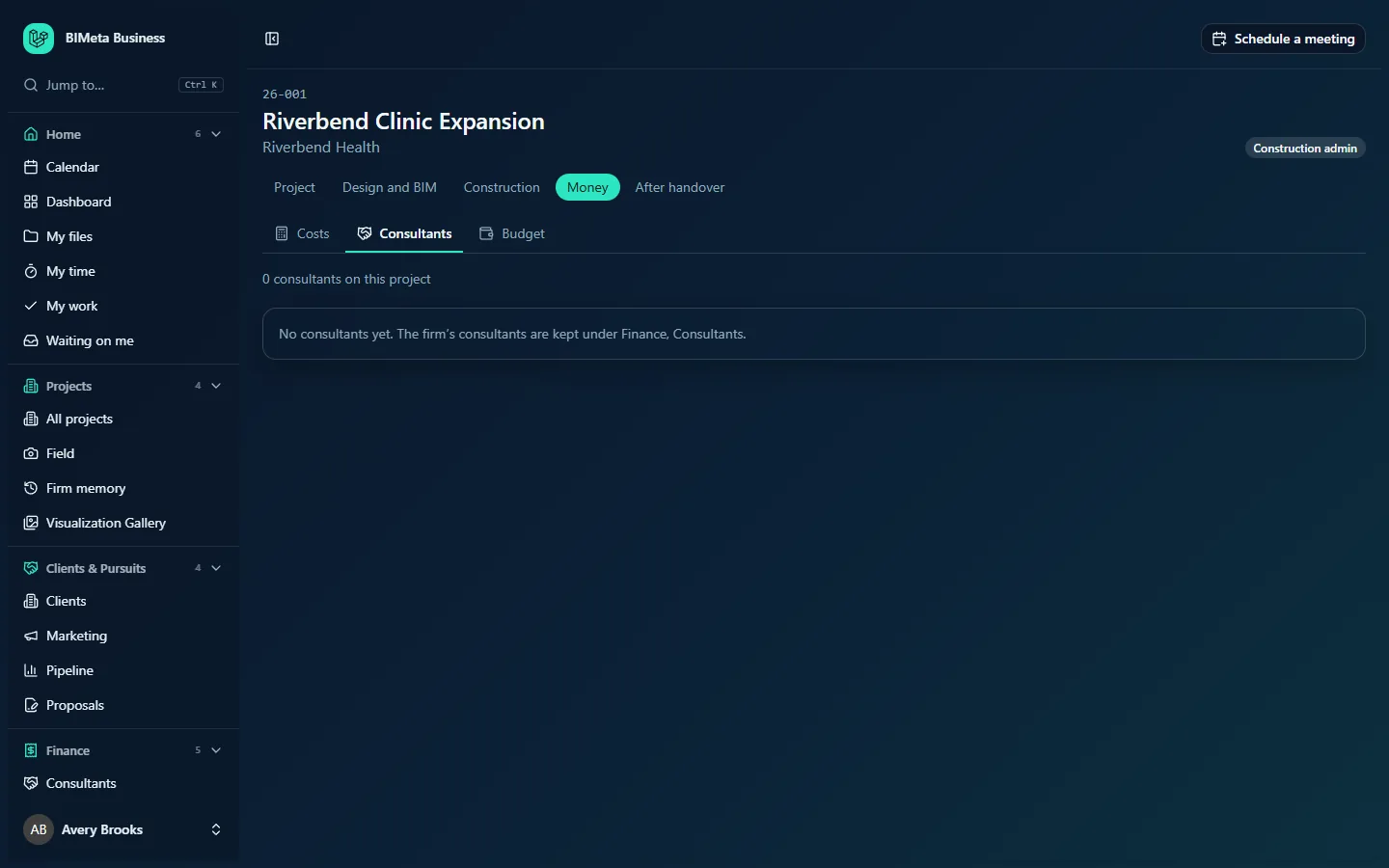
A tour of the page
Top line
How many consultants are on the project, e.g. "0 consultants on this project", and Add a consultant for editors when there are consultants left to add.
Add a consultant form
A Consultant drop-down (the firm's active consultants not yet on the project, with their discipline), Scope (e.g. MEP engineering, up to 300 characters), Their fee (for budget managers), and Add / Cancel.
Consultant cards
One card per consultant:
- Name and discipline.
- An insurance badge: Insurance current, Insurance expiring (within 30 days), Insurance expired or No insurance on file, with the expiry date. It's based on the latest certificate of each kind in the firm's consultant record; the soonest expiry decides.
- Remove from project for editors.
- Scope, contact name and email.
- For people who see money: Fee, Invoiced and either "… left" or, in red, "… over their fee", with a progress bar of invoiced against fee. Budget managers also get Change fee with Save.
- Deliverables: each with a checkbox (received), title, phase, and "due date", "overdue since date" in red, or "received date". Editors get Add a deliverable: Deliverable (e.g. 100% CD drawings, up to 200 characters), Phase (or Any phase), Due date, and Add.
When there are none: "No consultants on this project yet. Add them from the firm's consultants list." or, if the firm has no consultants at all, "No consultants yet. The firm's consultants are kept under Finance, Consultants."
How to …
Engage a consultant on the project
- Click Add a consultant.
- Choose the Consultant, type their Scope and, if you manage the budget, Their fee.
- Click Add ("Consultant added to the project").
Track a deliverable
- On the consultant's card, click Add a deliverable, fill in the title, phase and due date, and click Add ("Deliverable added").
- When it arrives, tick its checkbox. It's marked received today and struck through. Untick to undo.
Change a consultant's fee
- Type the new amount in Change fee and click Save.
Remove a consultant from the project
- Click Remove from project ("Consultant removed from the project").
Tips and good to know
- Invoiced amounts come from the consultant invoices recorded against this project under Finance → Consultants.
- Keep insurance certificates up to date in the firm's consultant record; the badge here follows them.
- A consultant can only be on a project once.
- To let a consultant answer RFIs and submittals in the portal, give them an account and add them on the Team tab with the Consultant role; this tab is about contracts and deliverables.
Troubleshooting
The consultant I need isn't in the list.
They're not in the firm's consultant list, are archived, or are already on this project. Someone with access to Finance → Consultants can add them.
I can't see fees.
You can't see this project's budget. Ask the project manager.
Was this article helpful?
Share