



Certification: LEED, WELL, BREEAM and other credits
17 views · by Kevin J Bruno · updated 5 days ago
Many projects aim for a sustainability or wellness certification such as LEED, WELL, BREEAM or Green Globes. Each rating system is made of credits (for example LEED's "EAc1 Enhanced commissioning"), each worth a number of points. The team decides which credits to go after (the targeted points), someone owns each one, and the documentation is submitted to the certifying body, which awards or denies each credit. The total points decide the level reached; for LEED that's Certified (40), Silver (50), Gold (60) or Platinum (80). The Certification tab is the project's credit scorecard.
Where to find it
Open a project, choose the Design and BIM group, then the Certification tab.
Who can use it
- Everyone who can open the project can see the scorecard.
- Adding, changing and removing credits needs permission to edit the project: Business Owners, Admins, IT Staff, BIM Managers and Project Managers, plus the Project Manager, Project Architect and Designer roles on the project.
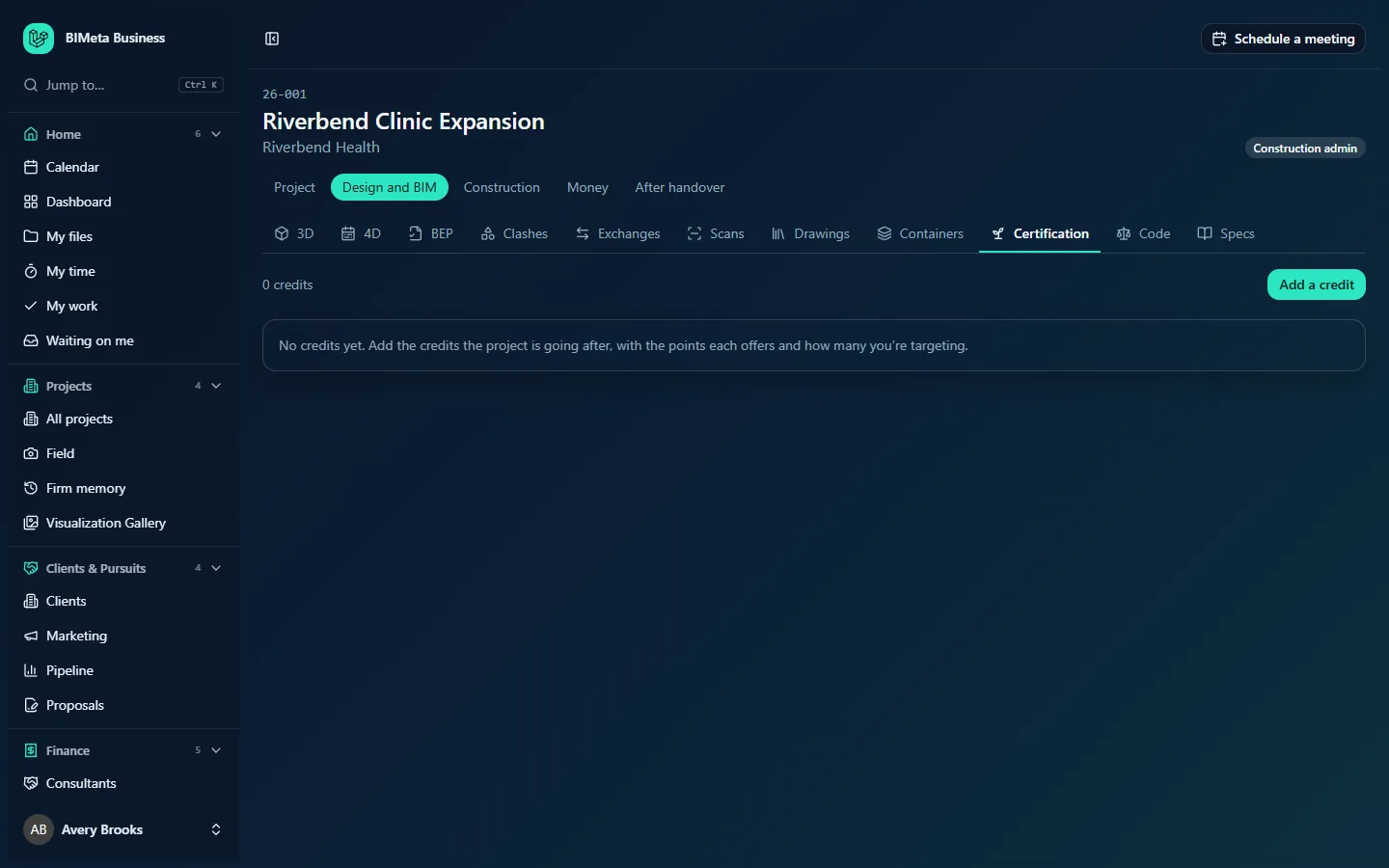
A tour of the page
Totals per rating system
Once credits exist, a card per rating system shows "n points targeted", "a achieved of p possible" and, for LEED, "Target: level" and "Achieved: level" (e.g. Target: Gold). Denied credits don't count toward the target.
Embodied carbon
If the project has quantity sets on the Costs tab, a card shows the embodied carbon of the latest one in tonnes of CO2e, labelled "A1-A3, from option on the Costs tab" (A1–A3 are the product stages: raw materials, transport to the factory and manufacturing). This helps with carbon-related credits.
Credits
The count ("0 credits", "1 credit"), Add a credit (editors), and a table with Credit (system, code and name), Targeted / possible, Status, Owner and Remove. Editors change status and owner straight from the table.
With none: "No credits yet. Add the credits the project is going after, with the points each offers and how many you're targeting."
Credit statuses
Planned, In progress, Submitted, Achieved and Denied.
How to …
Add a credit
- Click Add a credit.
- Choose the Rating system: LEED v4.1, LEED v5, WELL v2, BREEAM, Green Globes or Other.
- Enter the Credit code (optional, up to 20 characters, e.g.
EAc1) and the Credit name (required, up to 200 characters). - Enter Points possible and Points targeted (0 to 200 each; targeted can't be more than possible).
- Choose an Owner from the project team, or No owner yet.
- Click Add credit ("Credit saved"), or Cancel.
Update a credit's progress
Change its Status or Owner in the table; it saves straight away. When the certifying body rules, set Achieved or Denied, and the totals update.
Remove a credit
Click Remove on its row ("Credit removed").
Tips and good to know
- Target a few points above the level you need, to allow for credits that get denied.
- Give every credit an owner; owners must be on the project's team.
- You can track more than one rating system on the same project (e.g. LEED and WELL); each gets its own totals.
Troubleshooting
"Target no more points than the credit offers."
Lower Points targeted or raise Points possible.
"Choose someone on the project team."
Add the person on the project's Team tab first.
Why is there no embodied carbon card?
It appears once quantities have been recorded on the project's Costs tab.
Was this article helpful?
Share