



Project Assistant: ask questions about a project
18 views · by Kevin J Bruno · updated 23 hours ago
The Assistant tab lets you ask a question about the project in plain language, such as "What did the answer to RFI 12 say about the stair rating?" or "Which submittals are still with the architect?", and get a short answer written by AI from the project's own records. Every answer cites its sources as numbered links, so you can check the record itself in one click. The assistant only reads records you're allowed to open, so it never tells you anything your tabs wouldn't.
Where to find it
Open a project and choose Project → Assistant (the second tab, after Overview).
Who can use it
- People who can use the project assistant: Business Owner, IT Staff, BIM Manager and User by default, plus team members with the Project Manager, Project Architect or Designer project role. Clients and consultants don't get the tab.
- What it can read depends on you. It searches only the kinds of record you can open on that project:
- With construction admin access: RFIs, Submittals, Changes, Meeting minutes and the Punch list.
- With field access: Site reports and Daily logs.
- With permits access: Permit review comments.
- With project access: Tasks and File names (names only, not file contents).
- Your firm's Admins and the Business Owner can switch the assistant off, limit which kinds of record it reads, and choose how long questions are kept, under Admin → Settings → Project assistant.
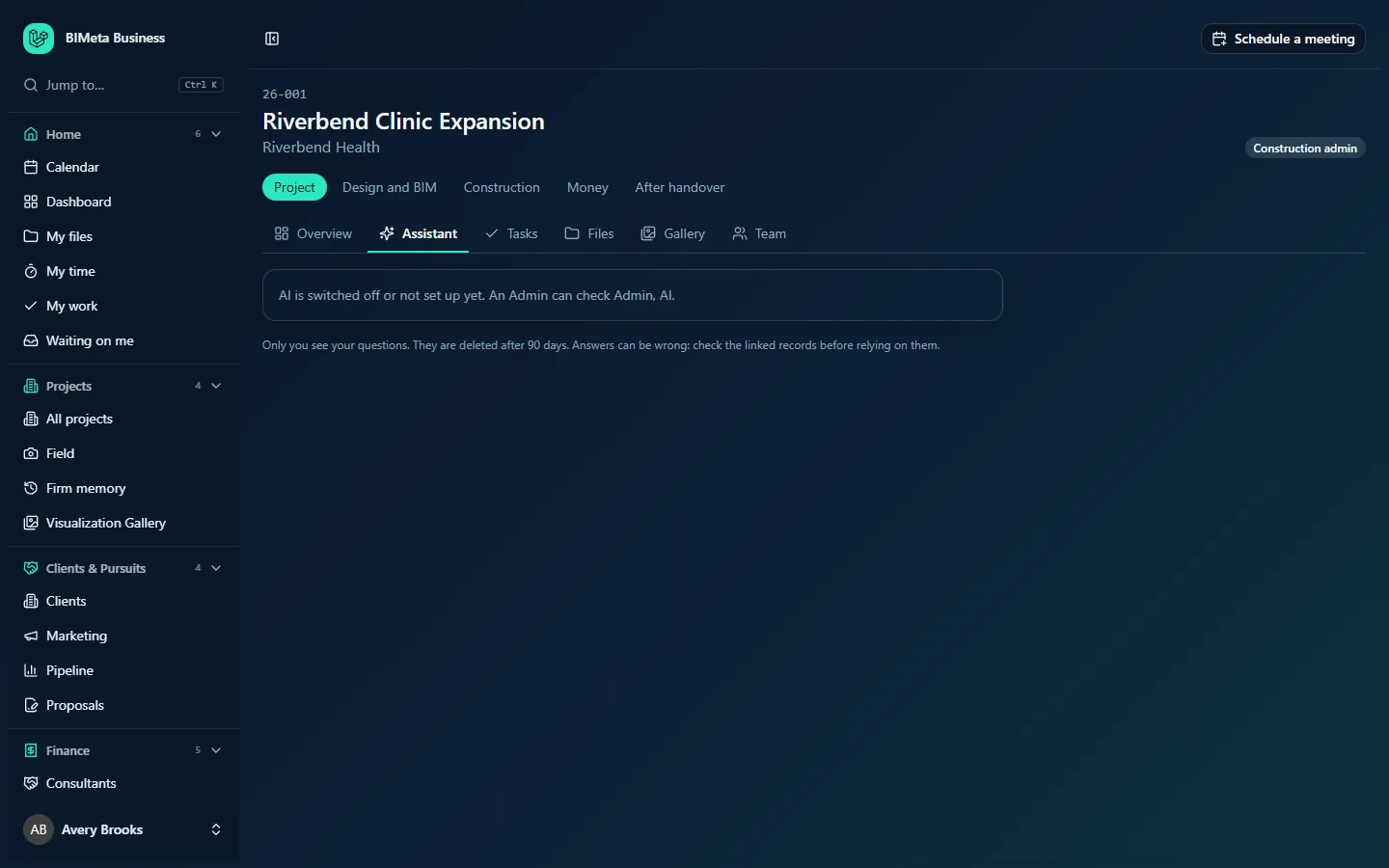
A tour of the page
Ask about this project
A question box with the example "For example: What did the answer to RFI 12 say about the stair rating?" (up to 1,000 characters) and an Ask button, which shows "Looking through the records…" while it works. Under it, Reads: … lists the kinds of record it will search for you, e.g. "Reads: RFIs, Submittals, Changes, Meeting minutes, …".
Instead of the box you may see one of these messages:
- "The project assistant is switched off for your firm."
- "AI is switched off or not set up yet. An Admin can check Admin, AI." (as in the screenshot; the AI page is now on Admin → Settings)
- "There are no records here you're allowed to ask about."
Privacy note
"Only you see your questions. They are deleted after n days. Answers can be wrong: check the linked records before relying on them." The number of days is your firm's setting (7, 30, 90 or 365; 90 by default).
Your questions
Your earlier questions on this project, newest first. Each shows:
- The question, and a badge Not allowed (you asked about records you can't open, so nothing was searched) or Nothing found (no matching records) when there's no answer.
- The answer, with citations like S1 and S3 as links to the records they came from.
- The list of sources, each with its number and a label such as the RFI number and subject, linking to the record.
- When you asked.
At the bottom, Delete my questions removes your whole history on this project.
How to …
Ask a question
- Type your question. Mention the kind of record and any number you know (e.g. "RFI 12", "submittal 08 71 00", "last site report") for the best results.
- Click Ask. The answer appears at the top of your questions.
- Click a source number to open the record and check the detail.
Ask a follow-up
- Just ask the next question, e.g. "Who answered it?". Unless your firm turned follow-ups off, the assistant remembers your last two answered questions on this project.
Delete your history
- Click Delete my questions and confirm "Delete all your questions on this project?". You'll see "Your questions on this project were deleted".
Tips and good to know
- The assistant only answers from the records it finds and must cite them; citations to anything it wasn't given are dropped.
- Nobody else, not even an Owner, sees your questions. The audit log only records that a question was asked, not what it was.
- Answers use your firm's AI credits.
- To search across all projects at once, use Firm memory.
Troubleshooting
My question came back "Not allowed".
It only named kinds of record you can't open on this project (for example permit comments without permits access). Ask about something else, or ask for access.
"Nothing found".
No record matched your words. Try different words, a record number, or a simpler question.
The tab says AI is switched off.
An Admin needs to set up AI under Admin → Settings → AI, or switch the assistant on under Admin → Settings → Project assistant.
Was this article helpful?
Share