



My data & privacy: download your data or ask for erasure
19 views · by Kevin J Bruno · updated 16 hours ago
My data & privacy gives you control over your personal data. You can download, at any time, a copy of everything your firm holds about you in BIMeta Business, and you can formally ask the firm to erase your personal data. The firm must answer an erasure request within a month. This page is how you use your data protection rights (for example under GDPR) without having to email anyone.
Where to find it
- Click your name at the bottom of the sidebar, then My data & privacy.
- Ctrl K and type
gdpr,exportorprivacy; it's listed under Your account. - These pages stay open even while a new firm is waiting for its background check, or while your firm asks you to confirm your identity before using the portal (see Confirming your identity (when your firm asks for a background check)).
Who can use it
Everyone with an account at the firm, for their own data only. Requests are handled by the Business Owner and IT Staff on Admin → Settings → Privacy requests; Admins can't see them.
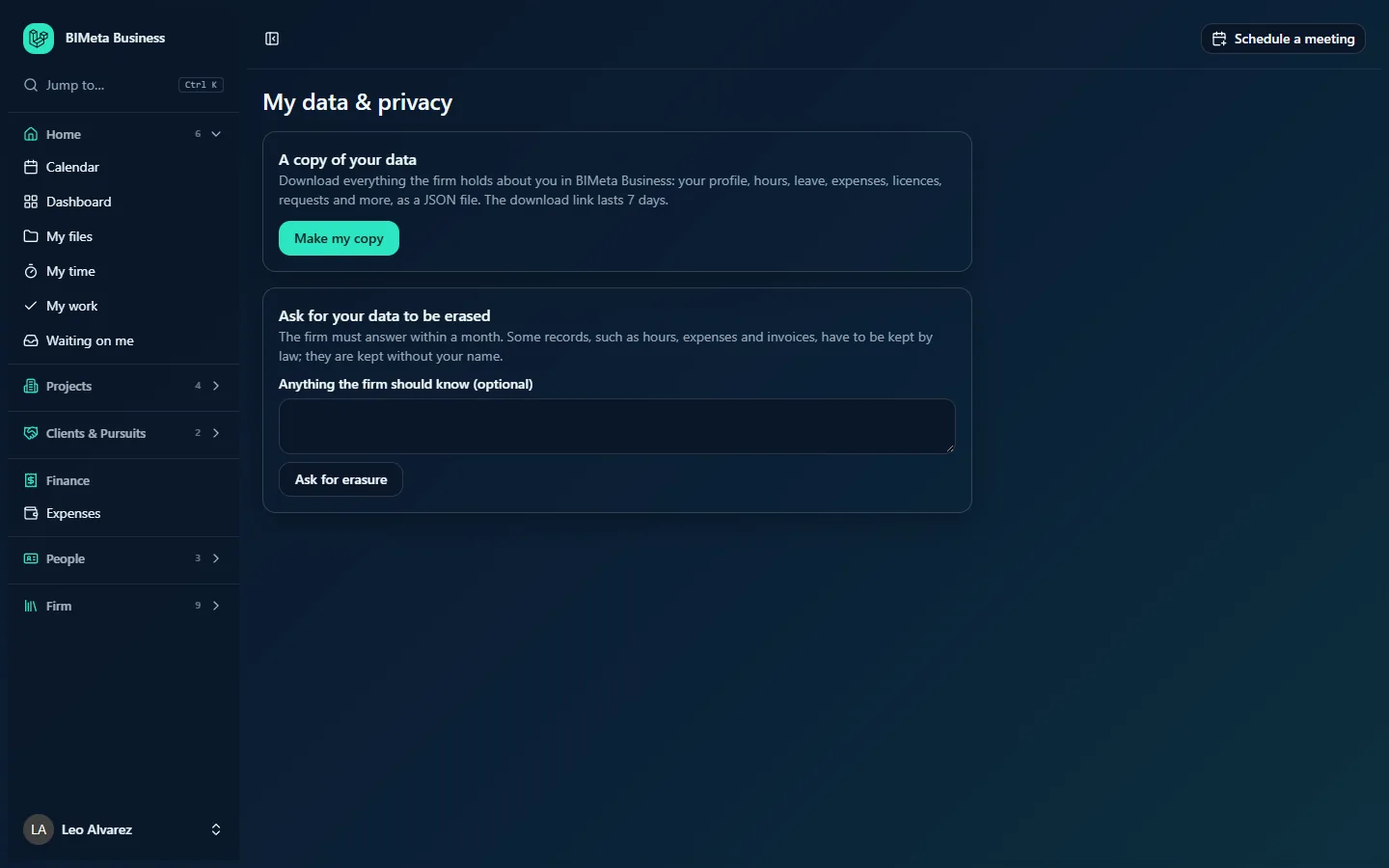
A tour of the page
A copy of your data
Download everything the firm holds about you in BIMeta Business: your profile, hours, leave, expenses, licences, requests and more, as a JSON file. The download link lasts 7 days. The Make my copy button prepares it.
Ask for your data to be erased
The firm must answer within a month. Some records, such as hours, expenses and invoices, have to be kept by law; they are kept without your name. There's an optional box, Anything the firm should know (optional), and an Ask for erasure button.
Your requests
Appears once you've made a request. Each line shows Copy of my data or Erasure, the date, a status badge (Waiting for the firm, Done or Declined), the firm's note if it left one (for example the reason for declining), and a Download button for copies that are ready.
How to download a copy of your data
- Click Make my copy.
- You'll see Your copy is ready to download for 7 days. A Copy of my data line appears under Your requests.
- Click Download. Your browser saves a file named like
personal-data-12.json.
The file groups your data by where it's kept, with a short explanation at the top. JSON opens in any text editor and can be imported by other systems. After 7 days the download expires; just make a new copy. Each copy and download is recorded in the firm's Audit log.
How to ask for erasure
- Optionally write anything the firm should know in Anything the firm should know (optional) (up to 1,000 characters), for example your last working day.
- Click Ask for erasure.
- Confirm: Ask the firm to erase your personal data? Once done, your account can't be recovered.
- You'll see Your request is recorded. The firm must answer within a month. The request shows Waiting for the firm.
The Business Owner or IT then either erases your data or declines with a reason, which appears on your request. Once erased, your account is closed for good and records the firm must keep (such as hours, expenses and invoices) remain without your name.
Tips and good to know
- Download a copy before asking for erasure if you want to keep anything.
- You can only have one erasure request waiting at a time; asking again shows You have already asked for erasure. The firm will reply within a month.
- This page covers data in BIMeta Business. Files you saved elsewhere, or email, aren't included.
- Your personal files in My files are private; only the Business Owner and appointed IT staff can reach others' personal files.
Troubleshooting / FAQ
"This download has expired. Make a new export."
Copies last 7 days. Click Make my copy again.
My erasure request was declined.
The firm's reason appears next to the request. A firm may need to keep some data, for example during an active legal hold. Talk to your Business Owner or HR if you disagree.
Was this article helpful?
Share