



Field: the phone home screen for site work
20 views · by Kevin J Bruno · updated 3 days ago
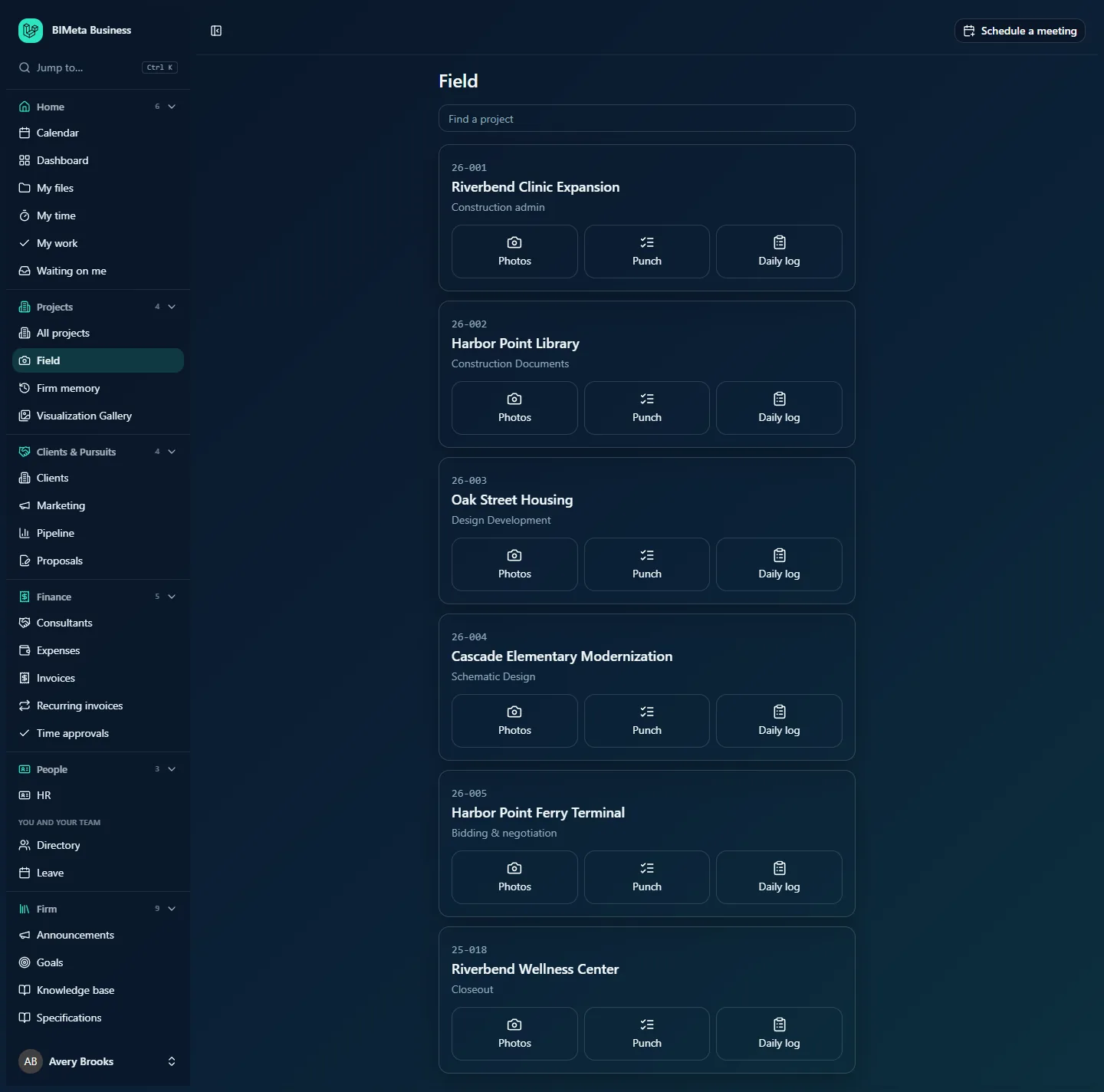
Field is a simple home screen built for your phone on site. It lists the active projects you can capture field records on, each with three big buttons: Photos, Punch and Daily log. Pick a project and go. You can add it to your phone's home screen so it opens like an app.
Where to find it
- Sidebar → Projects → Field.
- Jump to… (Ctrl K): type "field".
- On your phone, open BIMeta Business, go to Field and use your browser's Add to Home Screen (Safari's share menu on iPhone, the browser menu on Android) to keep it one tap away.
Who can use it
People who can capture field records: Business Owner, IT Staff, BIM Manager and User by default. The list only includes projects where you're allowed to take site photos and write daily logs.
A tour of the page
- Field heading and a Find a project box that filters the list by project number or name as you type.
- A card per project, most recently updated first (up to 100 active projects), with the project number, name and current phase, e.g. 26-001 Riverbend Clinic Expansion · Construction admin. Tapping the name opens the project's Field tab.
- Three buttons on each card:
- Photos: opens the project's Field tab at its photos, to take or upload site photos.
- Punch: opens the project's Field tab at its open punch items, to add items from site.
- Daily log: opens today's daily log for the project.
With no projects: "No projects to work on."
How to …
Record a site visit
- Open Field and type part of the project number or name in Find a project.
- Tap Photos to take site photos, Punch to add punch items, or Daily log to fill in today's log.
The project's Field tab, daily logs and site reports are explained in their own articles.
Tips and good to know
- Archived (closed-out) and inactive projects aren't listed.
- Your project role must allow field capture: Project Manager, Project Architect and Designer can; Consultant and Client can't.
Troubleshooting
A project I'm visiting isn't listed.
It isn't active, or you can't capture field records on it. Ask the project manager to add you to the team with a suitable role.
Was this article helpful?
Share