



Who can do what in Custom Development
18 views · by Kevin J Bruno · updated 22 hours ago
Custom Development decisions can commit your firm to spending money, so access is limited by role and the biggest decisions are kept for Owners. This article lists exactly who can do what, and how an Owner can change it.
Where to find it
- The permissions are set per role in Settings → Roles & permissions.
- The acceptance limit is on Admin → Custom Development (Owners only).
The two permissions
- See the firm's custom development requests and their conversations: opens Custom Development and every request, including files, proposals and invoices, and lets you sign in to the development portal.
- Ask BIMeta for custom development work and reply in its conversation: ask for work, edit drafts, reply, answer proposals, changes and maintenance plans, sign off or report issues, and report problems.
By role
| Role | What they can do |
|---|---|
| Business Owner | Everything: ask for work, reply, accept proposals, changes and maintenance plans of any amount, sign off milestones, set the acceptance limit for IT Staff and BIM Managers, and buy prepaid hours. |
| IT Staff | See every request of the firm, ask for work, reply, sign off milestones, report problems, and accept proposals, changes and maintenance plans up to the limit the Owner sets. |
| BIM Manager | The same as IT Staff, and can also put delivered add-ins and scripts into the firm's plugin and script libraries. |
| Admin, Project Manager, Human Resources, User | No access by default: Custom Development isn't in their sidebar and the page answers 403 This action is unauthorized. An Owner can give a custom role the two Custom Development permissions in Settings → Roles & permissions. |
| Action | Owner | IT Staff | BIM Manager |
|---|---|---|---|
| See requests, files, estimates, proposals, invoices | Yes | Yes | Yes |
| Ask for work, save drafts, reply | Yes | Yes | Yes |
| Accept a proposal, change or maintenance plan | Any amount | Up to the limit | Up to the limit |
| Ask for changes, decline | Yes | Yes | Yes |
| Sign off a milestone, list what needs fixing | Yes | Yes | Yes |
| Report a problem, cancel a maintenance plan | Yes | Yes | Yes |
| Add delivered files to the plugin or script library | Yes | No | Yes |
| Set the acceptance limit | Yes | No | No |
| Buy prepaid hours | Yes | No | No |
The acceptance limit
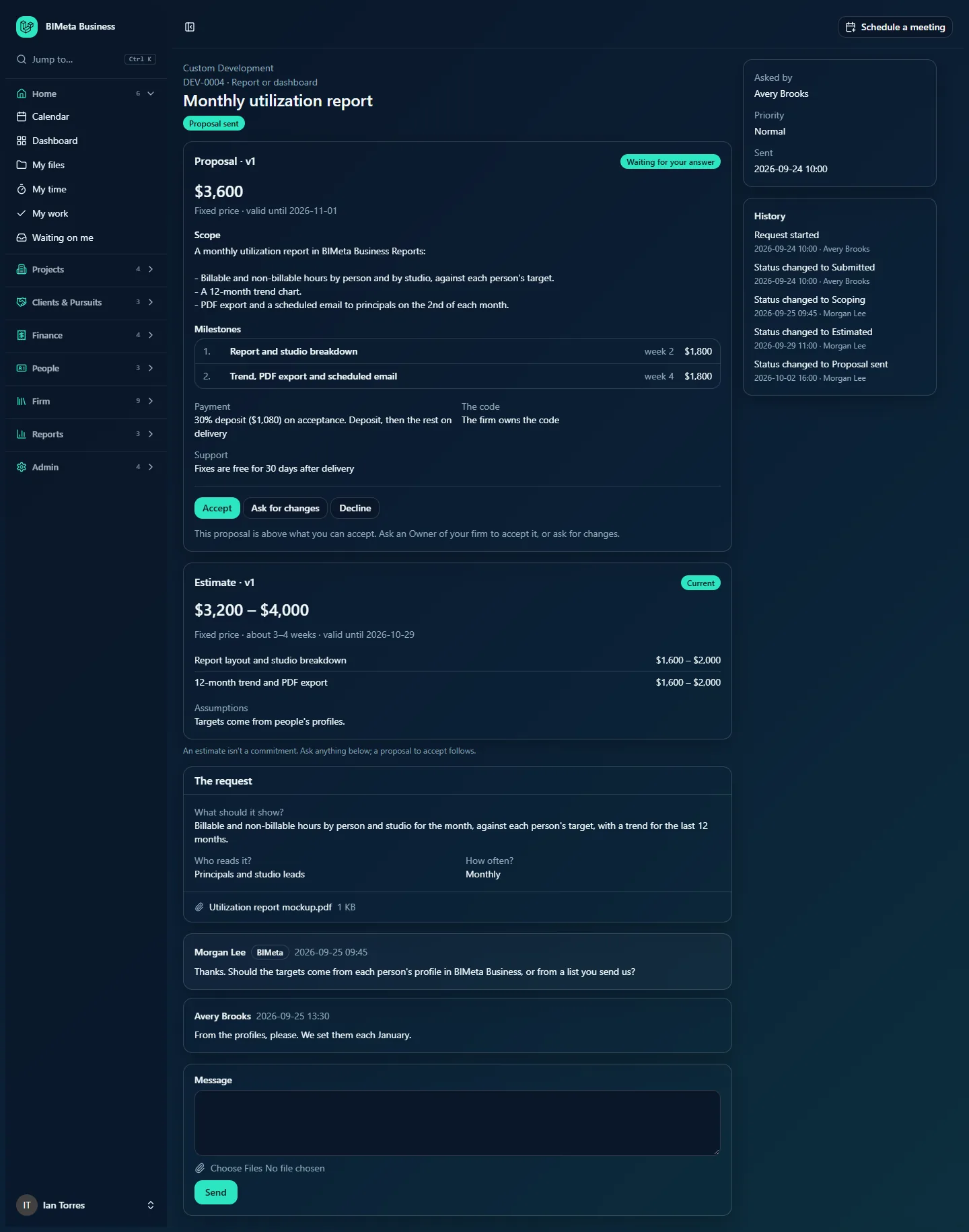
IT Staff and BIM Managers can accept proposals, change requests and maintenance plans (the monthly fee) up to the amount the Owner sets in IT Staff and BIM Managers can accept proposals up to, in the proposal's currency. The default is 5,000. 0 means only Owners accept. Above the limit they see that only an Owner can accept, and can still ask for changes or decline.
How to…
Give another role access
- Go to Settings → Roles & permissions and open the role (or a custom role).
- Turn on the Custom Development permissions you want.
- Save. People with that role see Custom Development in the Admin group the next time a page loads.
A role with only the "see" permission can follow requests but not answer anything. Only Owners can accept above the limit, whatever the role's permissions.
FAQ
A User gets "403 This action is unauthorized" on Custom Development.
Their role doesn't have the Custom Development permissions. That's the default for Users, Admins, Project Managers and Human Resources.

Who is emailed about a request?
The person who asked for the work. Everyone with access sees the request in the portal.
Was this article helpful?
Share