



Reviewing and signing off milestones
16 views · by Kevin J Bruno · updated 1 day ago
BIMeta delivers the work milestone by milestone. When a milestone is ready, BIMeta sends it for your review with its files and a note on how to try it. Someone in your firm then either signs it off or lists what needs fixing. Your sign-off is what marks the milestone done, triggers its invoice when you pay by milestone, and, for the last milestone, delivers the work.
Where to find it
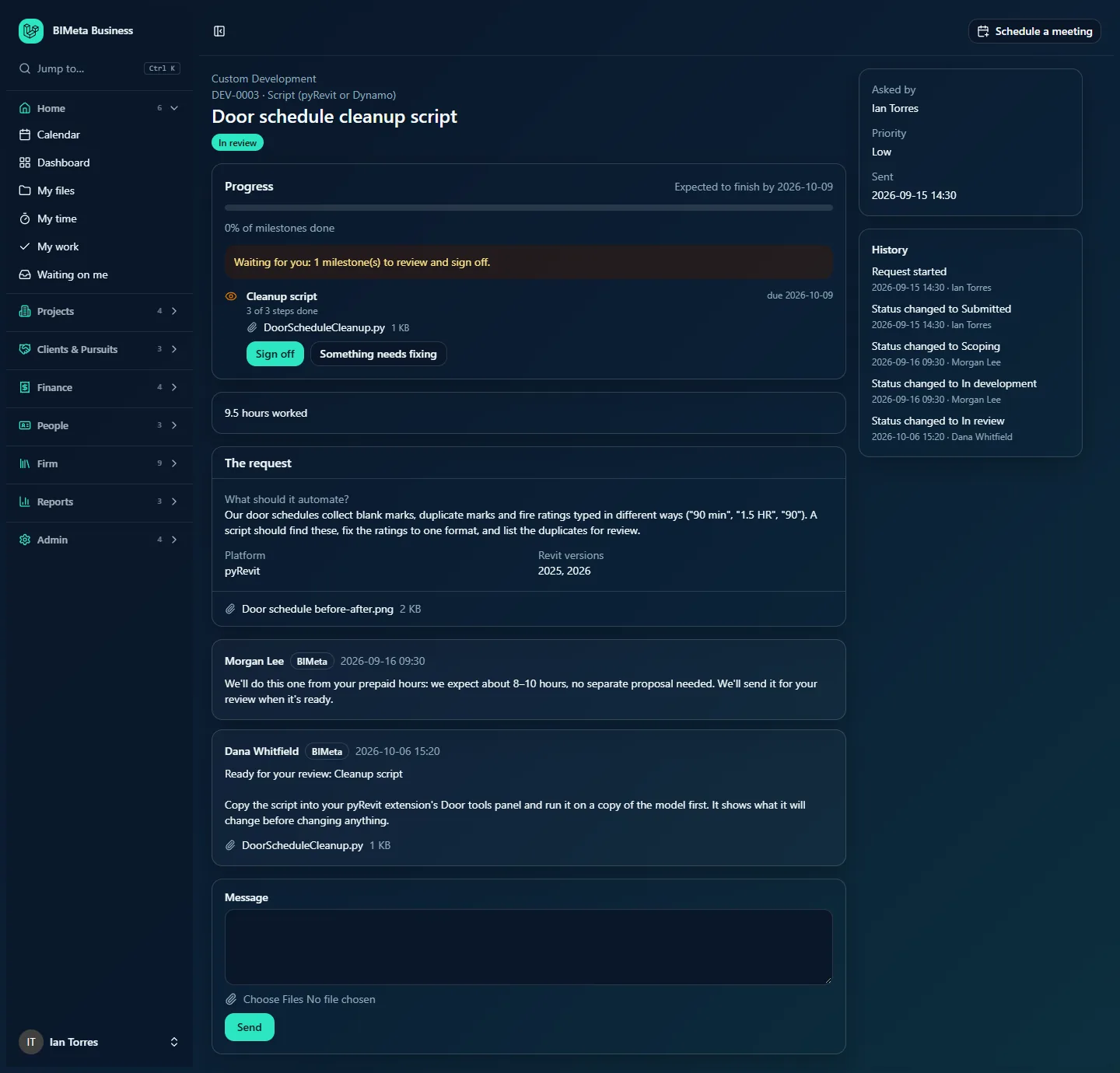
On the request's page: the status is In review, the milestone in the Progress card shows Waiting for sign-off with its Delivered files, and the conversation has a message Ready for your review: … with the note and files. The person who asked is emailed (Ready for your review: …).
Who can use it
Owners, IT Staff and BIM Managers can sign off or report issues. There's no amount limit on sign-off.
How to…
Try the delivered files
- Read BIMeta's note in the conversation; it says what's ready and how to try it.
- Download the files under the milestone or under the message.
- Try them on a copy of a project first, as the note suggests.
Sign a milestone off
- In the Progress card, under the milestone, click Sign off.
- You see Signed off. Thank you.
The milestone becomes Done with Signed off by … on …; Signed off: … is posted in the conversation; BIMeta is emailed; if the proposal bills by milestone, that milestone's invoice is sent; and if it was the last milestone, the request becomes Delivered, the person who asked is emailed, and the free support period starts.
Say something needs fixing
- Click Something needs fixing.
- List the problems, one per line (bullets are fine). Up to 30 lines become separate items.
- Click Send to BIMeta (or Cancel). You see Sent. BIMeta will fix these and send it back for review.
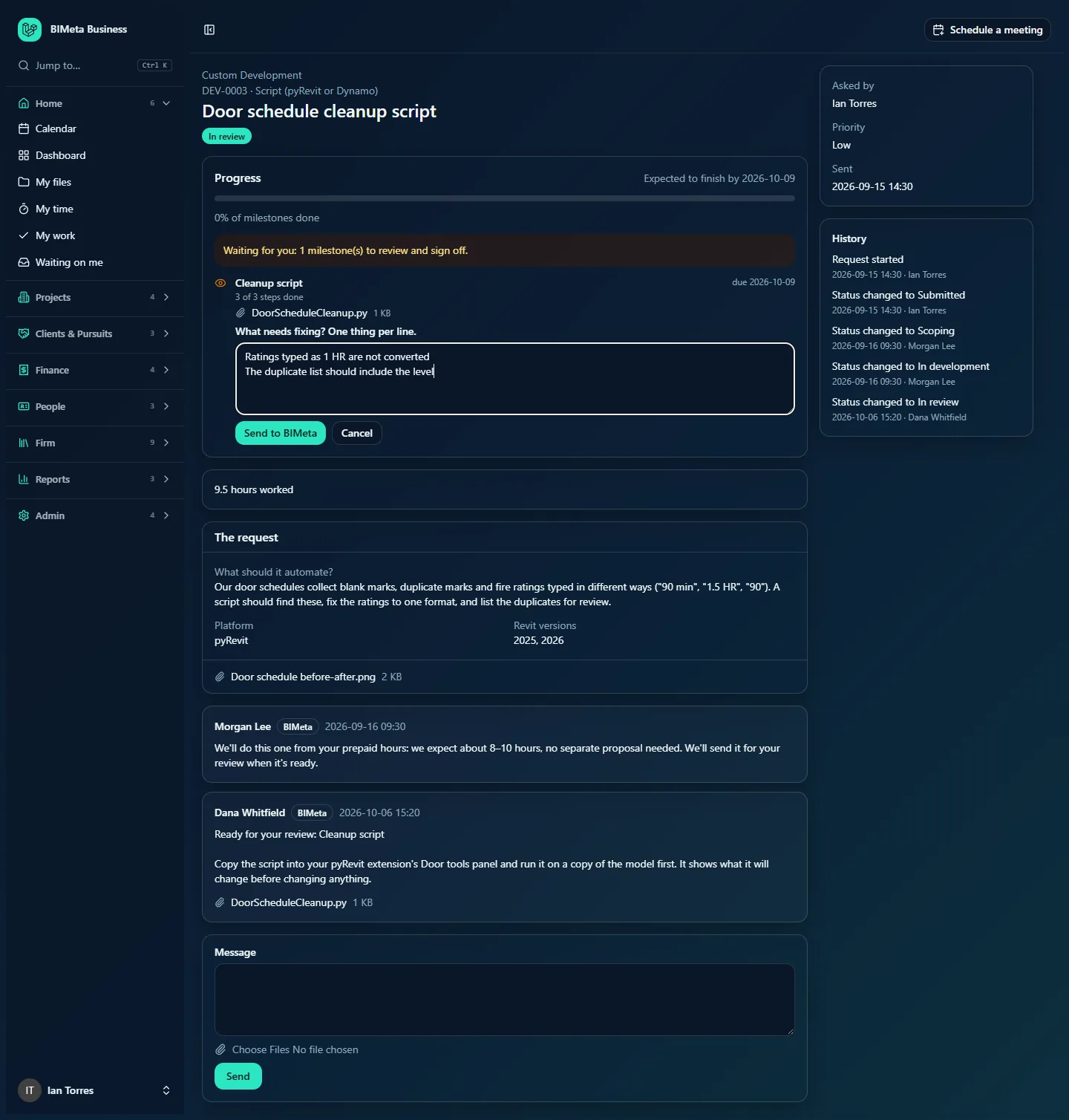
Each line becomes a task for BIMeta under that milestone, the milestone goes back to in progress, your list is posted in the conversation (Needs fixing before sign-off (…):), and BIMeta is alerted. When the fixes are done BIMeta sends the milestone for review again.
Tips and good to know
- Be specific: what you did, what you expected, what happened. Attach screenshots as a message if useful.
- Only milestones that are Waiting for sign-off can be signed off; the buttons appear only then.
- Signing off isn't the end of support: after delivery, problems can still be reported free during the support period (see Handover, the support period and your firm's libraries).
FAQ
Who in our firm should sign off?
Usually the person who tested it. Anyone with access can sign off, and their name is recorded.
Was this article helpful?
Share