



Prepaid hours: buy a block of development time
16 views · by Kevin J Bruno · updated 3 days ago
Prepaid hours are blocks of BIMeta development time your firm buys up front at a lower hourly rate. Small jobs, such as a quick script or a fix, can then be done without a separate proposal: BIMeta marks the request as prepaid and the hours worked come out of your balance.
Where to find it
Sidebar → Admin → Custom Development, the Prepaid hours card.
Who can use it
- Only Business Owners can buy hours.
- Everyone who can open Custom Development sees the balance, the blocks bought and the requests that used hours.
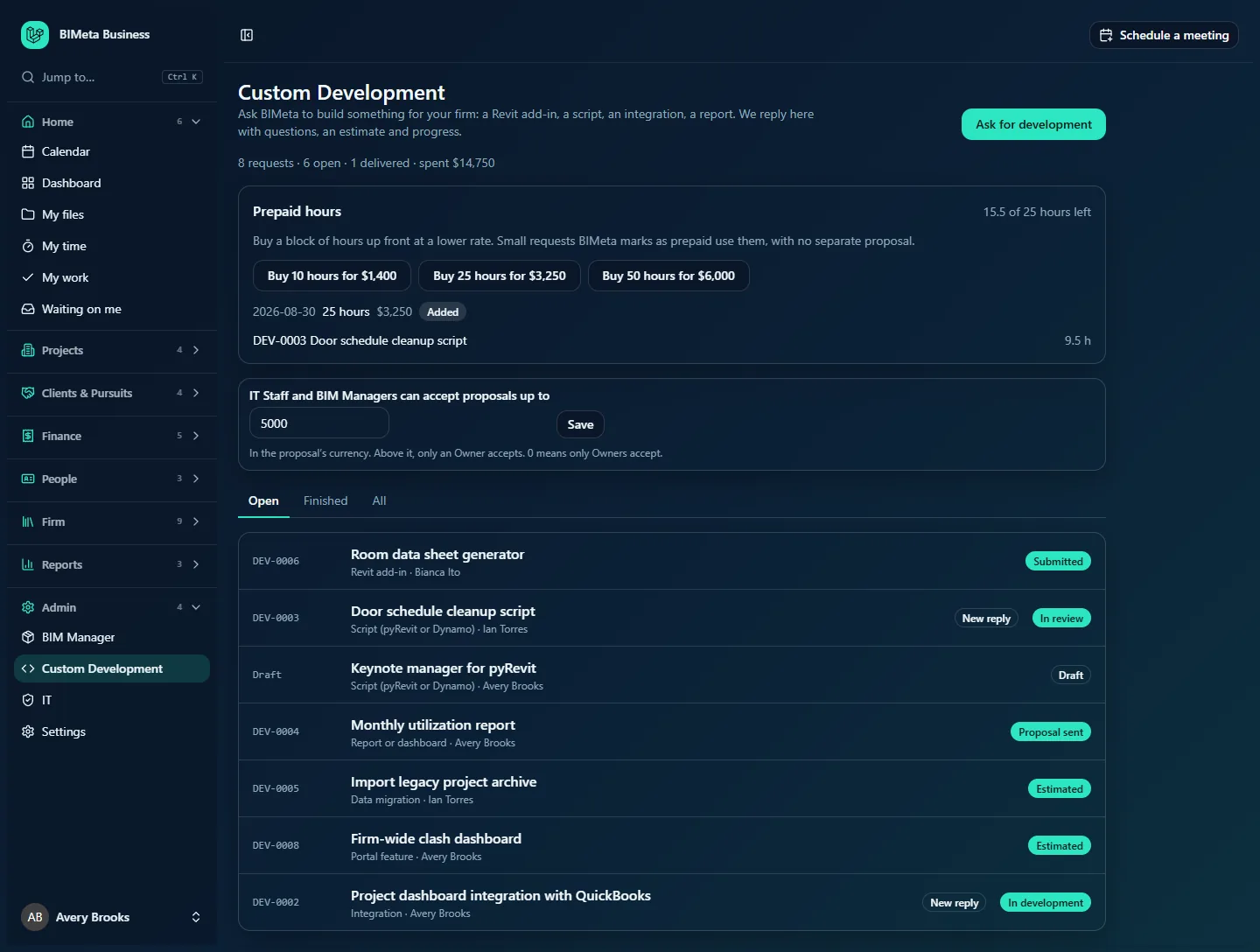
A tour of the card
- … of … hours left: hours bought (paid blocks only) minus hours worked on prepaid requests. It turns red if it goes below zero.
- Buy … hours for … (Owners): one button per block BIMeta offers. Bigger blocks have a lower hourly rate; the price is shown in your firm's billing currency. In the example: Buy 10 hours for $1,400, Buy 25 hours for $3,250, Buy 50 hours for $6,000.
- Your blocks: date, hours, price and state (Waiting for payment with a Pay link, Added, Payment failed, Cancelled).
- Requests that used hours, with the hours each used; click one to open it.
How to…
Buy a block of hours
- Click the Buy … hours for … button you want.
- If a payment is needed, the payment page opens; pay there. Otherwise the hours are added straight away and you see Hours added.
- Once paid, the block shows Added and the balance goes up.
Use prepaid hours for a request
- Ask for the work as usual and mention in the conversation that you'd like it done from prepaid hours.
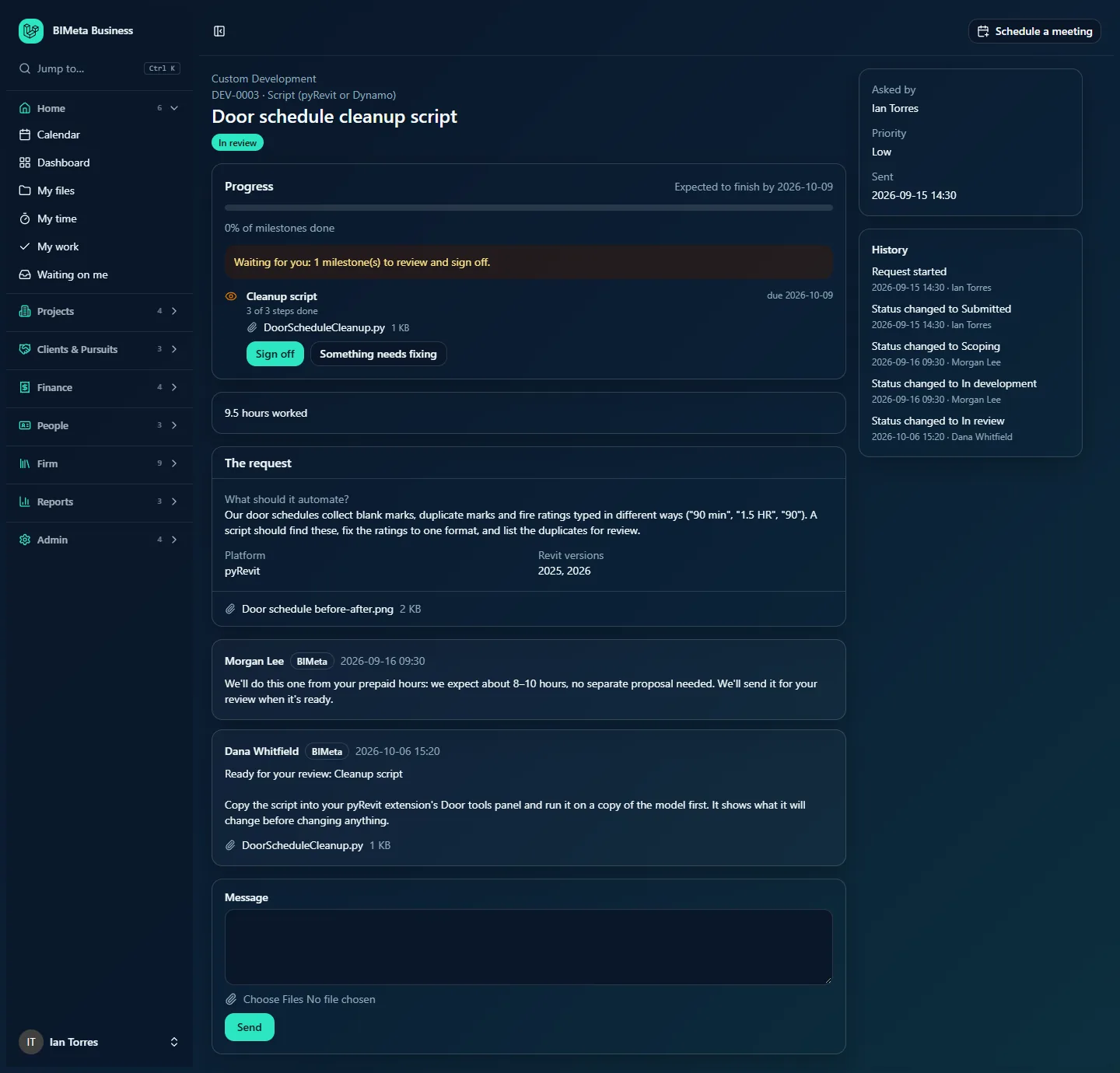
- BIMeta marks the request as prepaid. From then on the hours BIMeta logs on it come out of your balance and the request isn't invoiced for them.
- BIMeta can still send milestones for your review and sign-off as usual.
Tips and good to know
- Blocks don't expire: the balance is everything bought minus everything used.
- If the balance runs out while work continues, the figure goes negative and BIMeta's team is alerted; they'll ask you to buy more hours or invoice the rest.
- Refunds: BIMeta can refund a paid block of hours (or part of it) on request. Ask BIMeta support or write in a request's conversation.
- Buying isn't available in a demo portal.
FAQ
The button shows only "… hours" and is greyed out.
BIMeta has no price for that block in your firm's billing currency yet. Contact BIMeta support.
Do prepaid hours count in the "spent" total?
No. The "spent" figure on the Custom Development page counts paid Custom Development invoices only; the blocks are listed in this card.
Was this article helpful?
Share