



Invoices and the payment schedule
16 views · by Kevin J Bruno · updated 18 hours ago
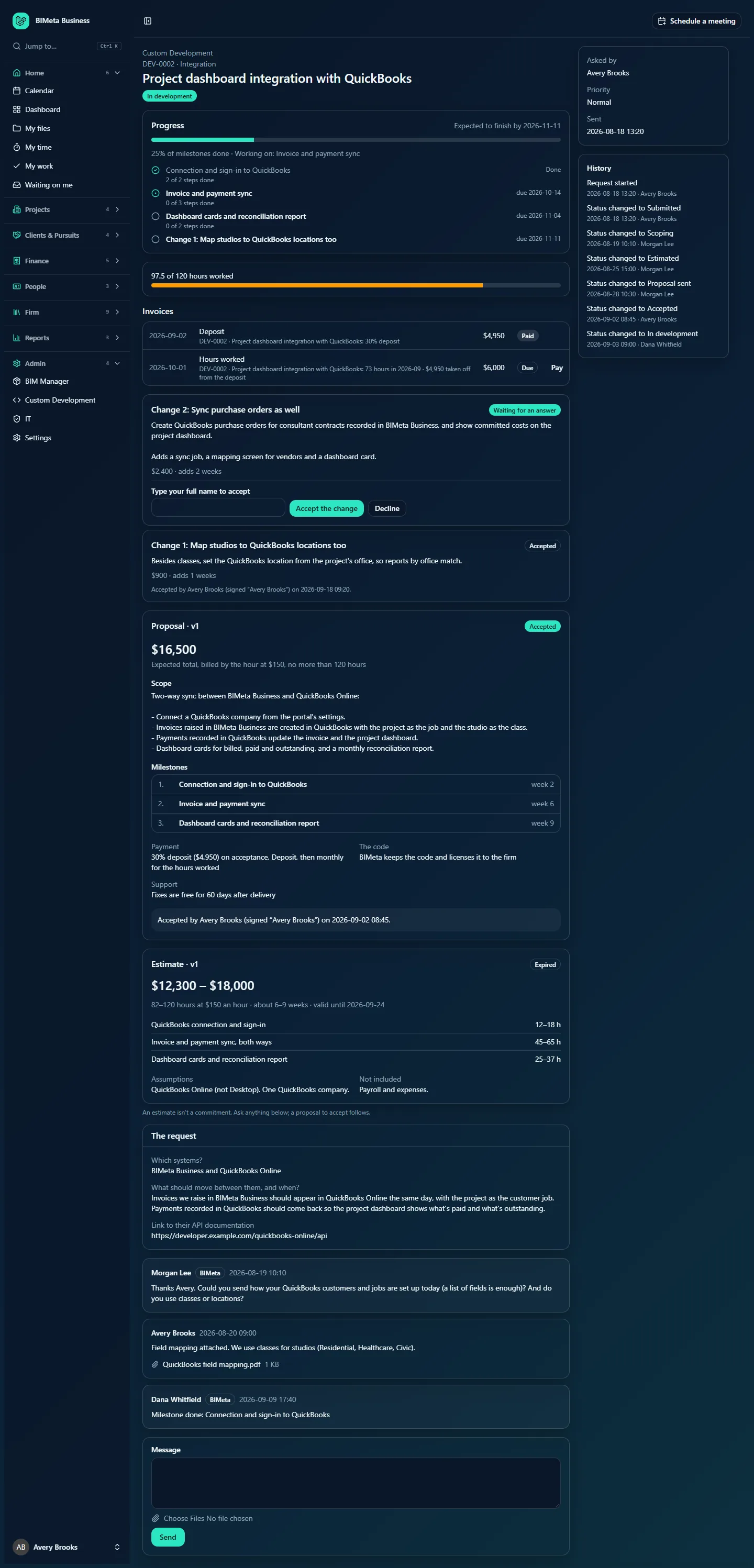
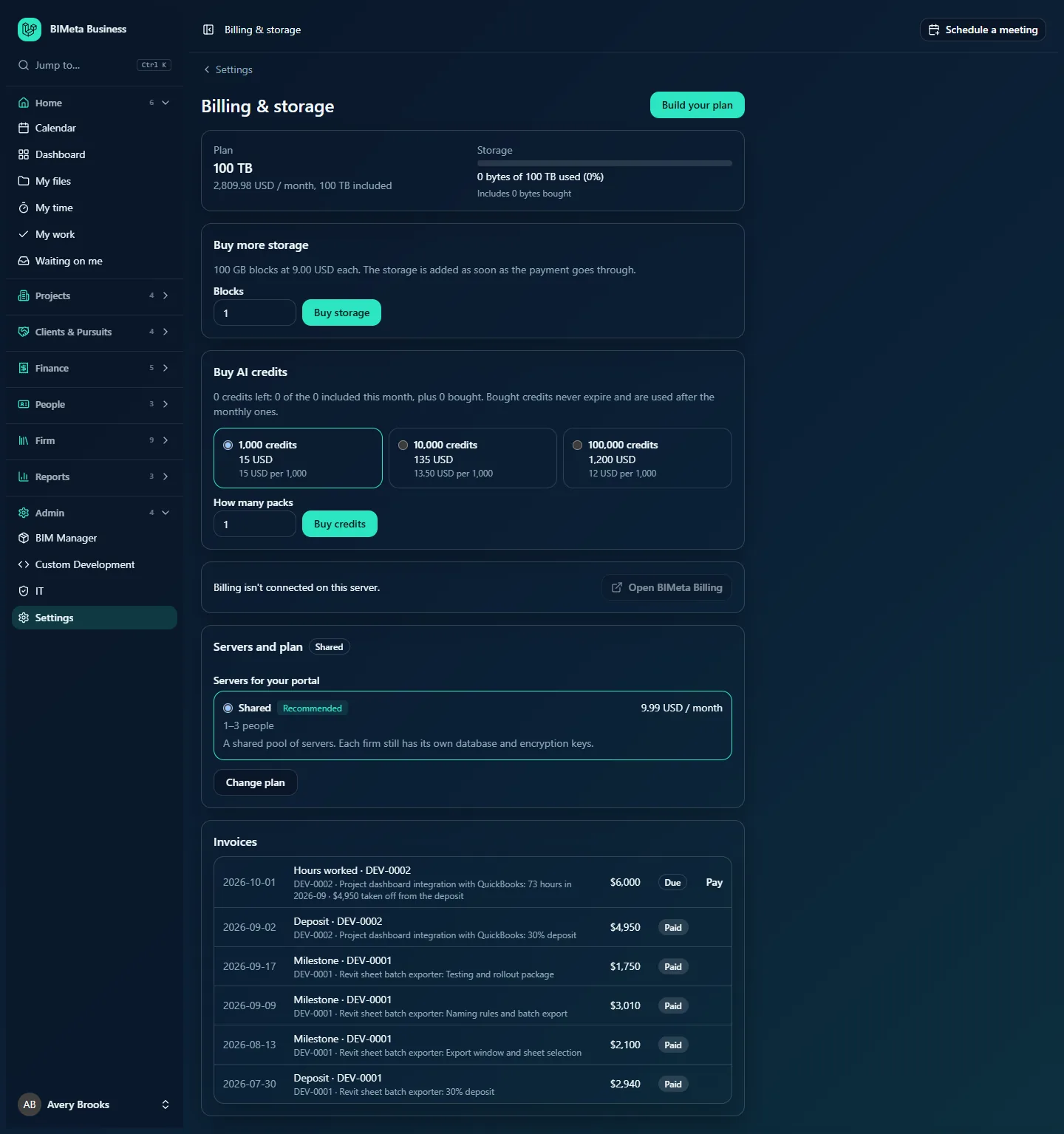
Custom Development is invoiced exactly as the accepted proposal says. Invoices are created automatically at the right moment and sent through your firm's usual BIMeta billing, the same way as your plan and storage. Each request shows its own invoices, and all of them also appear on your firm's Billing page.
Where to find it
- On a request's page, the Invoices section.
- Sidebar → Admin → Billing: a list of your firm's recent Custom Development invoices, each linked to its request.
Who can use it
Everyone who can open a request sees its invoices. The Billing page is for those who can see the firm's billing (normally Owners).
When invoices are made
| Invoice | When | Amount |
|---|---|---|
| Deposit | The moment the proposal is accepted. | The deposit percentage of the price (30% unless the proposal says otherwise). |
| Milestone | When a milestone is done (signed off, or finished by BIMeta), if the schedule is Deposit, then by milestone. | The milestone's amount less its share of the deposit. The last milestone takes whatever is left, so the total is exact. |
| Hours worked | On the 1st of each month, for the month just finished, if the schedule is Deposit, then monthly for the hours worked. | The month's hours × the rate, less what's left of the deposit (shown as … taken off from the deposit) until the deposit is used up. |
| Balance on delivery | When the work is delivered, if the schedule is Deposit, then the rest on delivery. | The price less the deposit. |
| Milestone (from a change) | When the change's milestone is done, whatever the schedule. | The change's full amount. |
| Maintenance | On the 1st of each month, for the month just finished, while a maintenance plan is active. | The monthly fee. |
| Other | Raised by BIMeta by hand, for anything agreed in the conversation. | As described. |
Nothing is ever invoiced twice for the same deposit, milestone or month. Requests that BIMeta runs on your prepaid hours aren't invoiced for their hours.
A tour of the Invoices section
- Each invoice's date, kind (Deposit, Milestone, Hours worked, Balance on delivery, Maintenance, Other) and description, for example DEV-0002 · Project dashboard integration with QuickBooks: 73 hours in 2026-09 · $4,950 taken off from the deposit.
- The amount to pay, and any amount refunded (… refunded).
- The state: Not sent yet, Due, Paid, Payment failed or Cancelled.
- Pay: for a due invoice, opens the payment page.
How to…
Pay an invoice
- Open the request (or Admin → Billing).
- Click Pay next to the invoice marked Due.
- Pay on the payment page. If your firm pays automatically by card on file, the invoice is usually marked Paid straight away.
When the payment comes through, the invoice is marked Paid automatically.
Tips and good to know
- An invoice covered entirely by the deposit is marked Paid with nothing to pay.
- Not sent yet means BIMeta's billing couldn't send it; BIMeta's team is alerted and sends it again. The work isn't held up.
- Refunds are made by BIMeta against a paid invoice; the refunded amount then shows on the invoice. Ask in the request's conversation or through BIMeta support.
- Invoices are in the proposal's currency.
FAQ
Why did we get an invoice for hours when we paid a deposit?
On monthly hourly work the deposit is credited against the first months' hours. Once the deposit is used up, each month's hours are billed in full.
Was this article helpful?
Share