



Change requests: when the scope changes
16 views · by Kevin J Bruno · updated 1 day ago
Requirements change while a tool is being built. When something new is needed that wasn't in the accepted proposal, BIMeta sends a change request: what changes and why, what it costs, and how many weeks it adds. You accept it the same way as a proposal, or decline it and the work carries on as agreed.
Where to find it
On the request's page, in Changes to the work. The person who asked is emailed (A change to accept: …) with the number, title, amount and extra weeks.
Who can use it
Owners accept any change. IT Staff and BIM Managers accept changes up to the firm's acceptance limit; above it they see that only an Owner can accept, and can still decline.
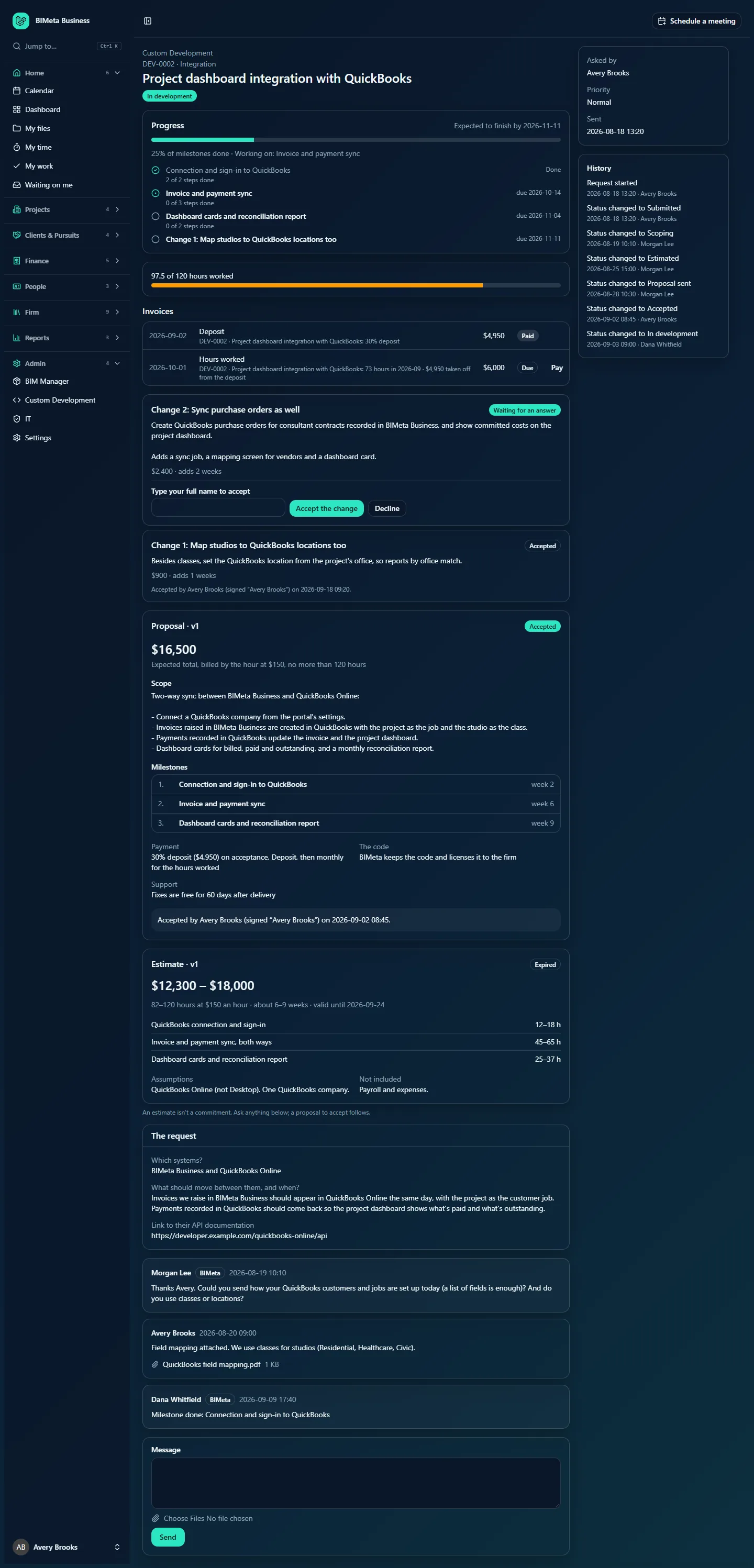
A tour of a change
- Change 2: Sync purchase orders as well: its number and title, and the badge Waiting for an answer, Accepted or Declined.
- The description: what changes, and why.
- The cost (or No extra cost) and the time it adds (adds 2 weeks, or no extra time).
- For an open change: Type your full name to accept, Accept the change and Decline.
- After an answer: who accepted and their signature, or who declined.
How to…
Accept a change
- Read the description, cost and extra time.
- Type your full name in Type your full name to accept.
- Click Accept the change. You see Change accepted and added to the plan.
The change becomes a new milestone in the plan (Change 2: Sync purchase orders as well), due its extra weeks after the current finish date, so the expected finish date moves. Its amount is invoiced in full when that milestone is done, whatever the proposal's payment schedule. BIMeta is emailed.
Decline a change
- Click Decline.
- Optionally explain in Why? (optional).
- Click Decline the change (or Cancel to go back).
The change is marked Declined; your reason is posted in the conversation and BIMeta is emailed. The rest of the work isn't affected.
Tips and good to know
- Changes exist only for accepted work (Accepted, In development, In review or On hold).
- BIMeta can withdraw a change before you answer; it then disappears.
- If you'd like a change BIMeta hasn't proposed, ask in the conversation.
FAQ
Does accepting a change restart the support period or the deposit?
No. It only adds a milestone, its cost and its time.
Was this article helpful?
Share