



Brand kit: voice, banned words, hashtags and approval rules
18 views · by Kevin J Bruno · updated 2 days ago
The Brand kit keeps your firm's social media rules in one place: how posts should sound, words that must never appear, your standard hashtags, the "About us" boilerplate, a disclaimer added to every post, your brand colors for graphics, and whether every post needs a second approver. Writers see it in the composer, AI drafts follow it, and the portal enforces the parts that can be checked automatically.
Where to find it
- Sidebar → Clients & Pursuits → Marketing, then the Studio tab, then the Brand kit button at the top.
- The brand kit page doesn't show the Marketing tabs; use Back to Marketing Studio (top right) or the Marketing Studio breadcrumb to go back.
Who can use it
People allowed to connect social pages and keep the brand kit: by default Business Owners and Admins. The Brand kit button appears on Marketing Studio for everyone who can open Studio, but only these people can open and save the brand kit.
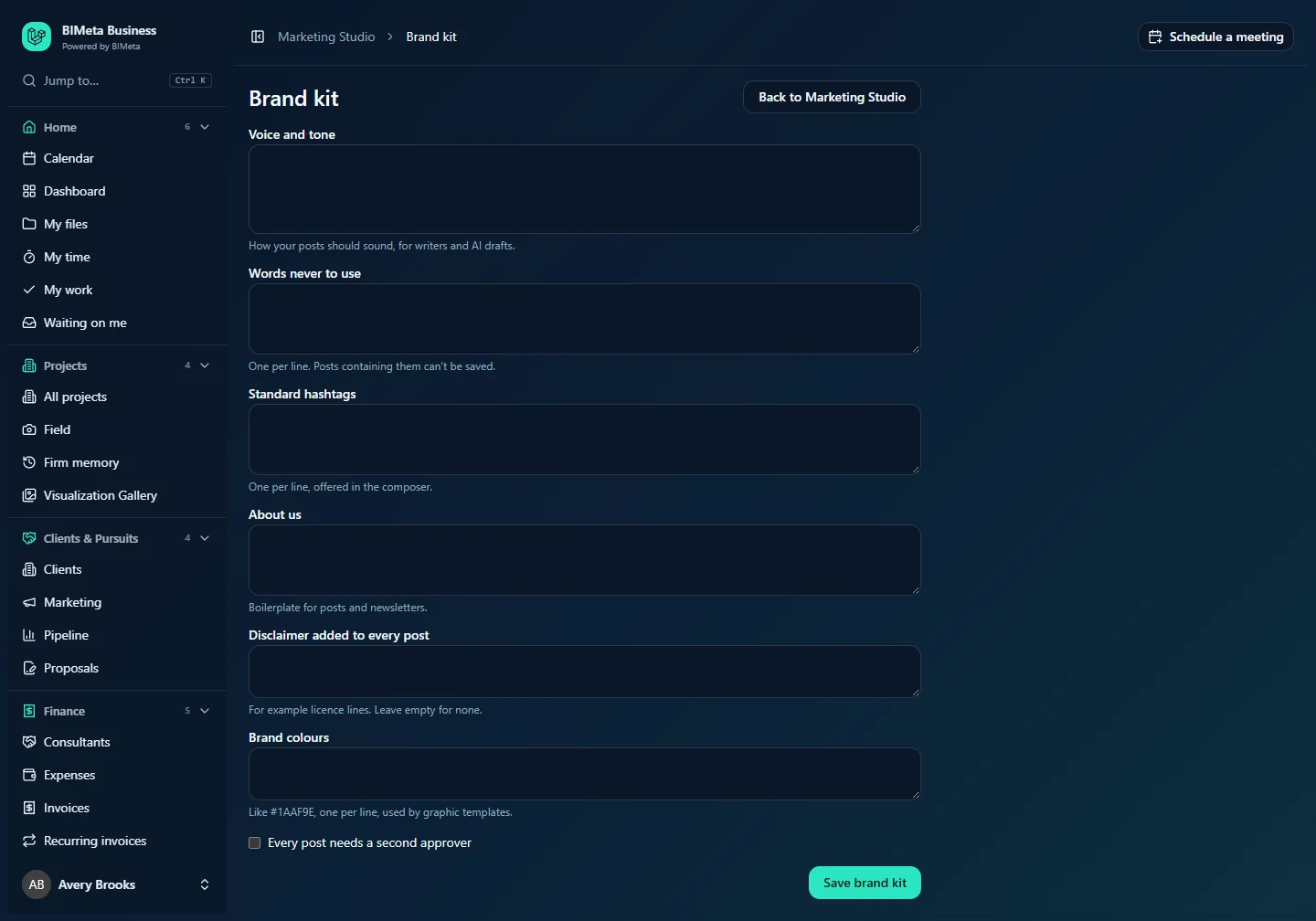
A tour of the page
| Field | What it does | Limits |
|---|---|---|
| Voice and tone | How your posts should sound, for writers and AI drafts. Shown to writers as Brand voice in the composer and followed by AI drafts. For example: "Warm, plain-spoken, proud of our clients' communities; no jargon." | Up to 2,000 characters. |
| Words never to use | One per line. Posts containing them can't be saved. Checked anywhere in the text, ignoring capitals, including the per-network wording. | Up to 100 entries, each up to 60 characters. Commas also separate entries. |
| Standard hashtags | One per line, offered in the composer. Each becomes a one-click button under the post text, and the AI Suggest hashtags helper adds these first. The # is added for you if you leave it off. | Up to 30 hashtags; letters, numbers and underscores only, up to 60 characters each. |
| About us | Boilerplate for posts and newsletters. Your standard firm description. | Up to 2,000 characters. |
| Disclaimer added to every post | For example licence lines. Leave empty for none. Added on its own paragraph at the end of every post on every network. It counts toward each network's character limit. | Up to 300 characters. |
| Brand colours | Like #1AAF9E, one per line, used by graphic templates. The colors used by Make a graphic in Marketing Studio. | Up to 8 colors, each a # followed by six hex digits. |
| Every post needs a second approver | When ticked, each post needs approval from two different people, neither of them the writer. |
Save brand kit saves everything (Brand kit saved).
How to…
Set up the brand kit
- Open Marketing Studio and click Brand kit.
- Describe your Voice and tone in a few sentences.
- List any Words never to use, one per line (for example competitor names, "cheap", or terms your legal team avoids).
- Add your Standard hashtags, one per line.
- Paste your About us text.
- Add a Disclaimer if your firm needs one on every post (for example a licensing line).
- Enter your Brand colours as hex codes, one per line.
- Tick Every post needs a second approver if you want two approvals.
- Click Save brand kit.
Tips and good to know
- The second-approver rule is copied onto each post when it's saved. Turning it on or off affects posts saved afterwards; posts already waiting keep the rule they were saved with until they're edited.
- With a second approver required, your firm needs at least three people who can approve posts in practice (the writer plus two approvers).
- Banned words stop a post from being saved at all, so writers find out straight away.
- Saving the brand kit is recorded in the firm's audit log.
Troubleshooting / FAQ
"Enter colours like #1AAF9E, one per line."
None of the colors you typed are in the right format. Use # plus exactly six hex digits (0–9, A–F), such as #0B2545.
A hashtag I added disappeared after saving.
Hashtags may contain only letters, numbers and underscores. Remove spaces, dashes and punctuation (e.g. #SustainableDesign rather than #sustainable-design).
I can't open the Brand kit.
Your role can write posts but not keep the brand kit. Ask a Business Owner or Admin.
Was this article helpful?
Share