



BIMeta Documents: Overview
2 views · by Kevin J Bruno · updated 1 minute ago
BIMeta Documents is one app for documents, spreadsheets and presentations. Writer, Sheets and Slides open and save Word, Excel and PowerPoint files, each in its own tab. Your files stay on your computer — BIMeta sign-in is only used to confirm who you are.
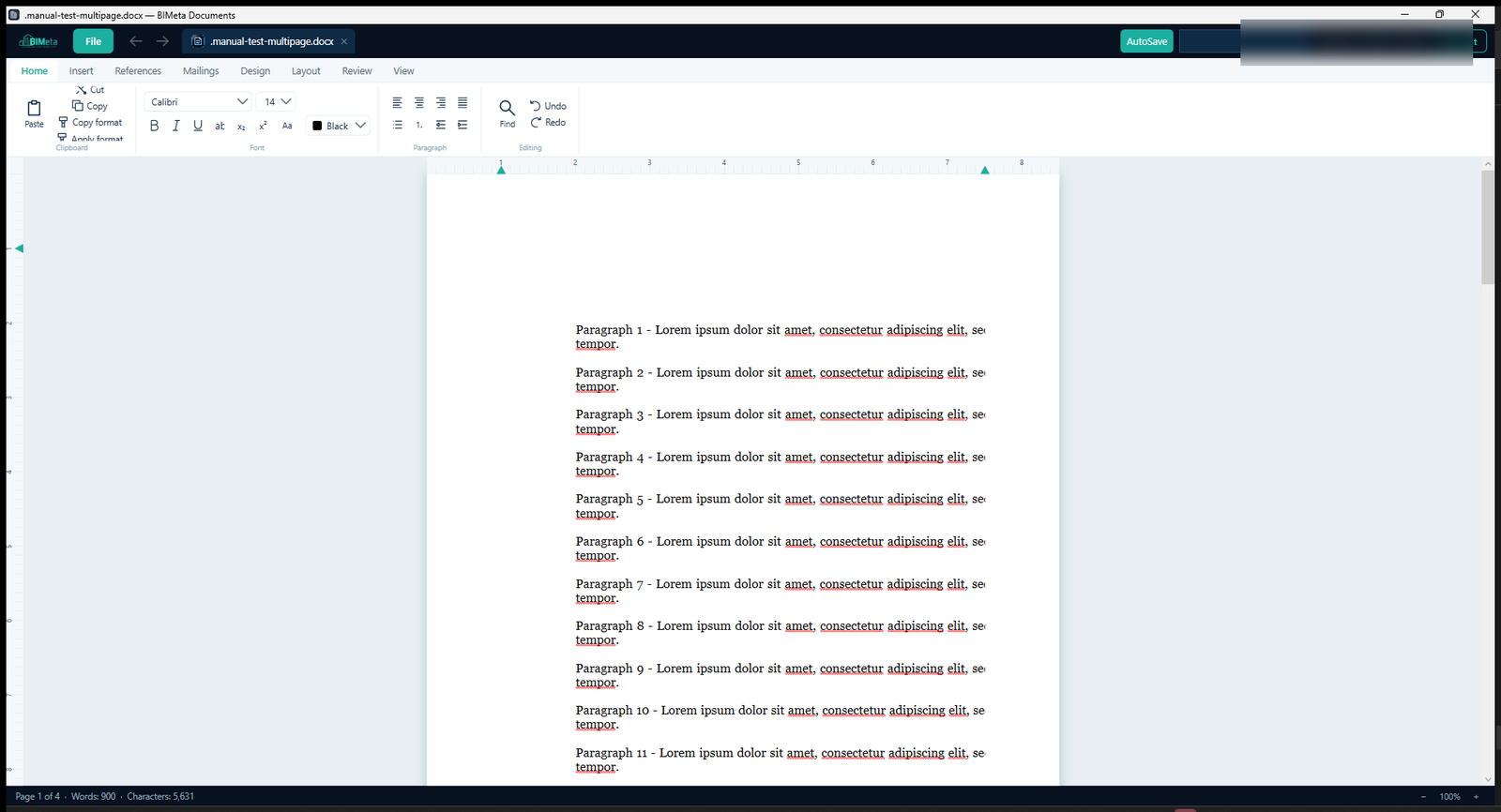
What you can do
- Writer: .docx, .rtf and .txt (opens .docm) with tables, images, comments, Track Changes, headers and footers, table of contents and columns
- Sheets: .xlsx and .xlsm with a formula engine (SUM, IF, VLOOKUP, XLOOKUP, SUMIF…), charts, conditional formatting, validation and freeze panes
- Slides: .pptx with shapes, images, speaker notes, slide show (F5) with presenter view, and Export PNGs
- Find & Replace everywhere (Ctrl+F / Ctrl+H)
- Auto-recovery every 2 minutes, AutoSave, Recent Files and a Templates gallery
- Print or save as PDF via the Windows print dialog
- Themes including Dark, Graphite, Midnight and High Contrast
System requirements
- Windows 10/11, 64-bit (no separate .NET install needed)
- A BIMeta account
More help
- Installing and Signing In to BIMeta Documents
- How to Open Word, Excel and PowerPoint Files in BIMeta Documents
- How to Create a Chart in BIMeta Documents Sheets
- How to Present a Slide Show in BIMeta Documents
- How to Recover Unsaved Work in BIMeta Documents
- BIMeta Documents Settings
- Troubleshooting BIMeta Documents
Was this article helpful?
Share